Webhooks
With FeedHive's Webhooks feature, you can receive real-time updates about your posts through webhooks. This allows you to integrate FeedHive with your own systems, automation tools, or custom workflows.
In this article we will cover:
- What are webhooks?
- How to set up a webhook
- Available webhook events
- Use cases and examples
What are webhooks?
Webhooks are HTTP callbacks that FeedHive sends to a URL of your choice when specific events occur. When you set up a webhook, FeedHive sends a POST request with detailed information to your endpoint whenever that event happens.
Think of webhooks as the reverse of triggers - instead of you calling FeedHive to make something happen, FeedHive calls your endpoint when something has happened.
How to set up a webhook
Setting up a webhook is simple:
- Navigate to Settings → Automation → Webhooks
- Click Create New Webhook
- Choose the event type you want to be notified about:
- On Post Published - When a post successfully publishes to a social platform
- On Post Scheduled - When a post is scheduled for future publishing
- On Post Failed - When a post fails to publish
- On Comment Added - When a comment is added to a post
- Enter your webhook URL (the endpoint where you want to receive events)
- Click Save to activate the webhook
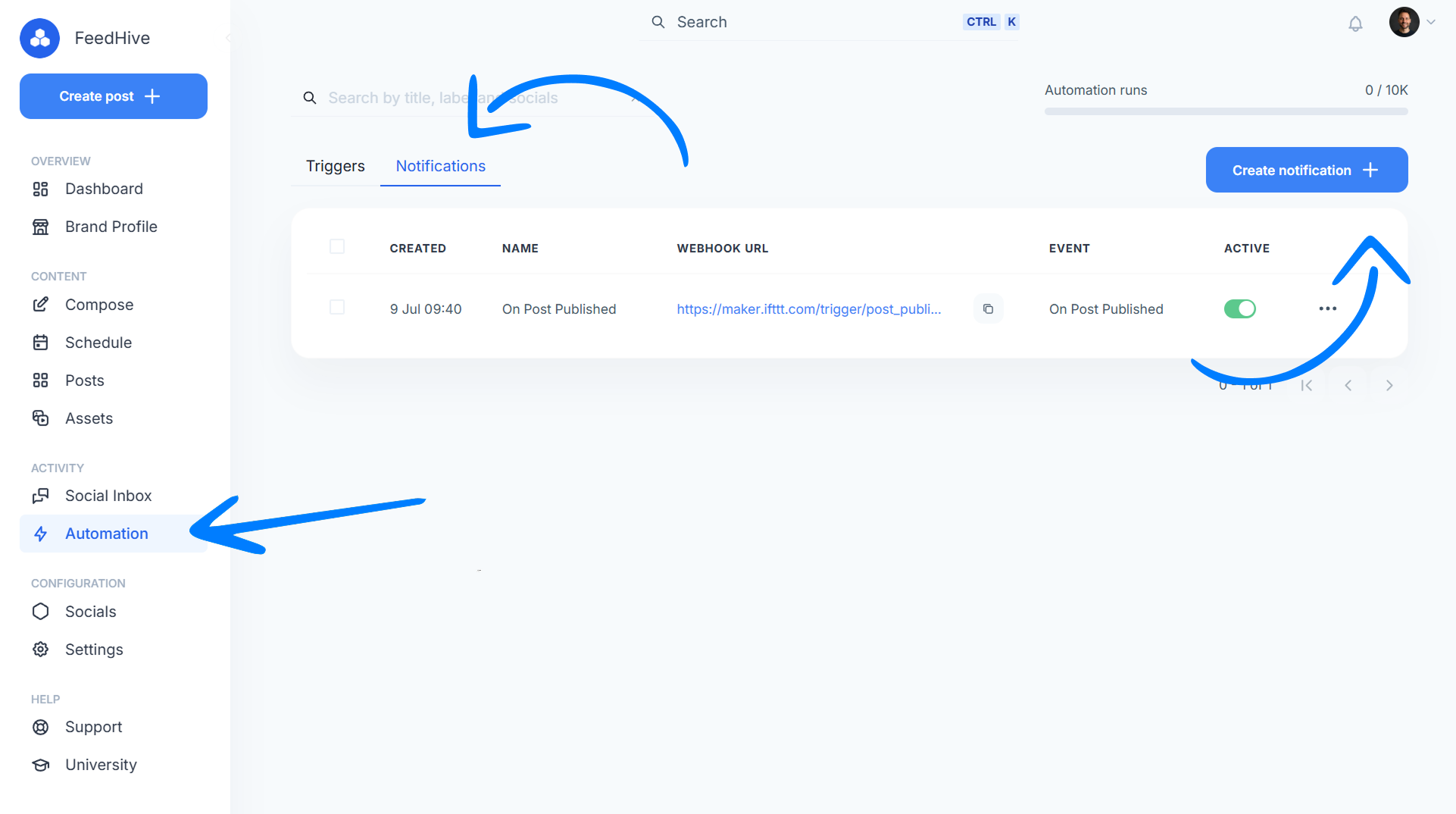
Once activated, FeedHive will start sending POST requests to your webhook URL whenever the selected event occurs.
Webhook events
On Post Published
This webhook event is triggered when a post is successfully published to any of your connected social media platforms. You'll receive information about which platform it was published to, the public URL of the post, and the full post content.
Use cases:
- Track all published content in your own database
- Send confirmations to clients when their content goes live
- Trigger analytics tracking when posts are published
- Update project management tools with publishing status
On Post Scheduled
This webhook event is triggered when a new post is scheduled or when an existing draft is scheduled for publishing. This is especially useful when working with team members or using approval workflows.
Use cases:
- Notify team members when content is scheduled
- Update your content calendar in external tools
- Alert managers when posts are pending approval
- Sync scheduling information with other systems
On Post Failed
This webhook event is triggered when a post fails to publish. You'll receive the error message explaining why the post failed, allowing you to take immediate action.
Use cases:
- Get instant alerts when posts fail to publish
- Create support tickets for failed posts
- Log errors for troubleshooting
- Send urgent alerts to responsible team members
On Comment Added
This webhook event is triggered when a comment is added to a post within FeedHive. This includes internal team comments and collaboration notes.
Use cases:
- Notify team members about feedback on their posts
- Track approval comments for workflow management
- Log all team collaboration in external systems
- Trigger actions based on specific comment content
FAQ
Can I set up multiple webhooks for the same event?
Yes! You can create multiple webhooks for the same event type, each pointing to different webhook URLs. This is useful if you want to send the same data to multiple systems.
What happens if my webhook endpoint is down?
FeedHive will retry failed webhook deliveries with exponential backoff. However, we recommend implementing monitoring and alerting for your webhook endpoint to minimize downtime.
Can I filter which posts trigger webhooks?
Not currently. When you set up a webhook, it will trigger for all posts in your workspace. You'll need to implement filtering logic in your webhook handler if you only want to process specific posts.
Do webhooks work with all social media platforms?
Yes! Webhooks work regardless of which social media platforms you're posting to. The webhook payload includes information about which platform(s) were involved.
Is there a limit to how many webhooks I can create?
Yes, the limit depends on your FeedHive plan. Check our pricing page (opens in a new tab) for details on limits for your specific plan.
Can I see webhook delivery history?
Yes, you can view the delivery log for all webhooks and for each individual webhook.