Adding your Replicate API Key
Learn how to create your own Replicate API key and add it to FeedHive to generate AI images using your own Replicate account.
When you add your own Replicate API key, FeedHive will use that key for AI image generation requests. This gives you direct control over your Replicate usage and billing from your own Replicate account.
Prerequisites
- Create a Replicate (opens in a new tab) account
- Make sure your Replicate account is ready to use the API
How to get your Replicate API Key
To generate your API key, follow these steps:
-
Log in to your Replicate account or create an account (opens in a new tab) if you do not have one yet.
-
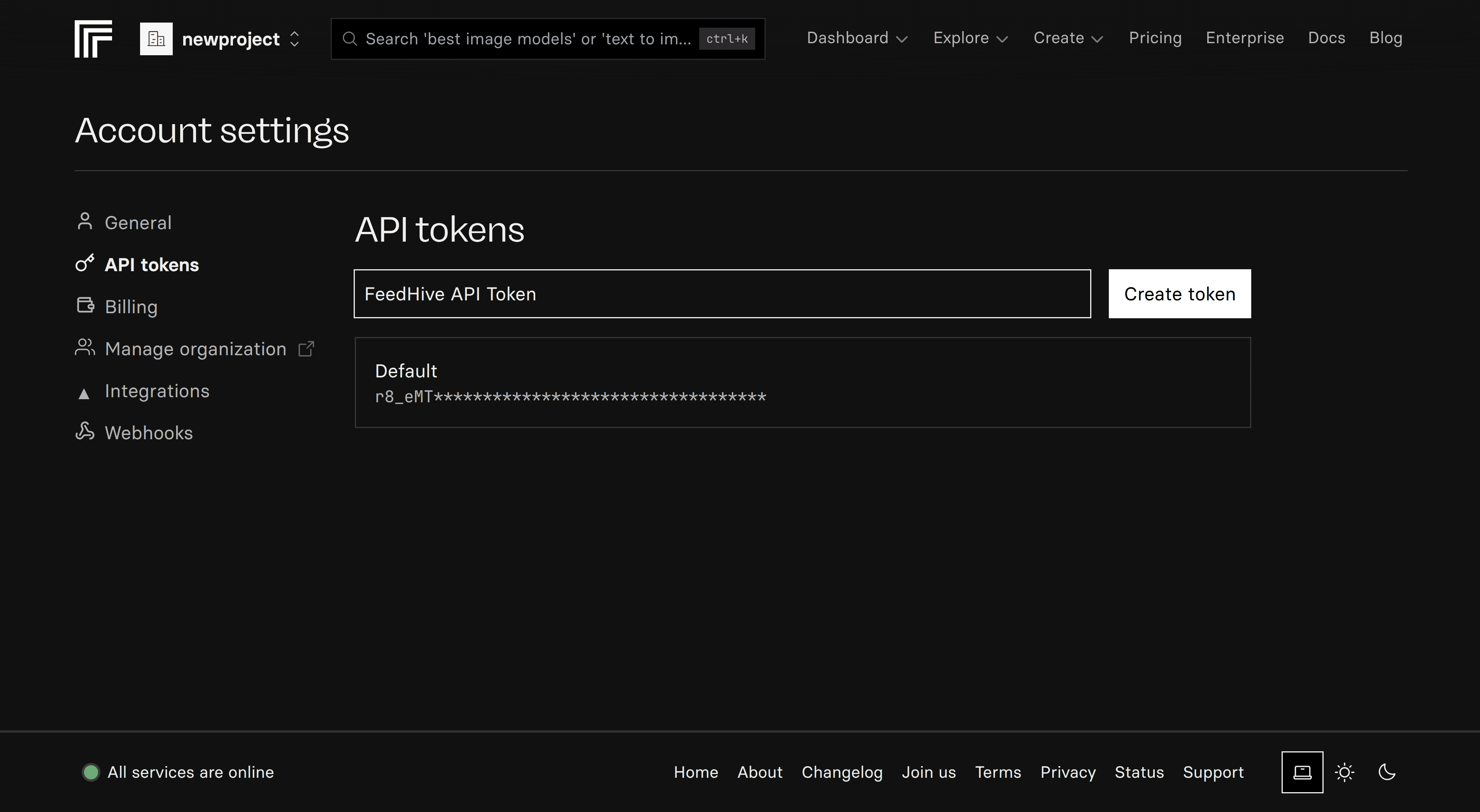
Open your API tokens page by navigating to https://replicate.com/account/api-tokens (opens in a new tab).
-
Create a new API token if you do not already have one available for FeedHive.
-
Copy your API token and save it somewhere secure, since you will need to paste it into FeedHive.
Important: Keep your Replicate API key secure and never share it publicly. Treat it like a password.
How to add your Replicate API Key to FeedHive
Once you have your Replicate API key, follow these steps to add it to FeedHive:
-
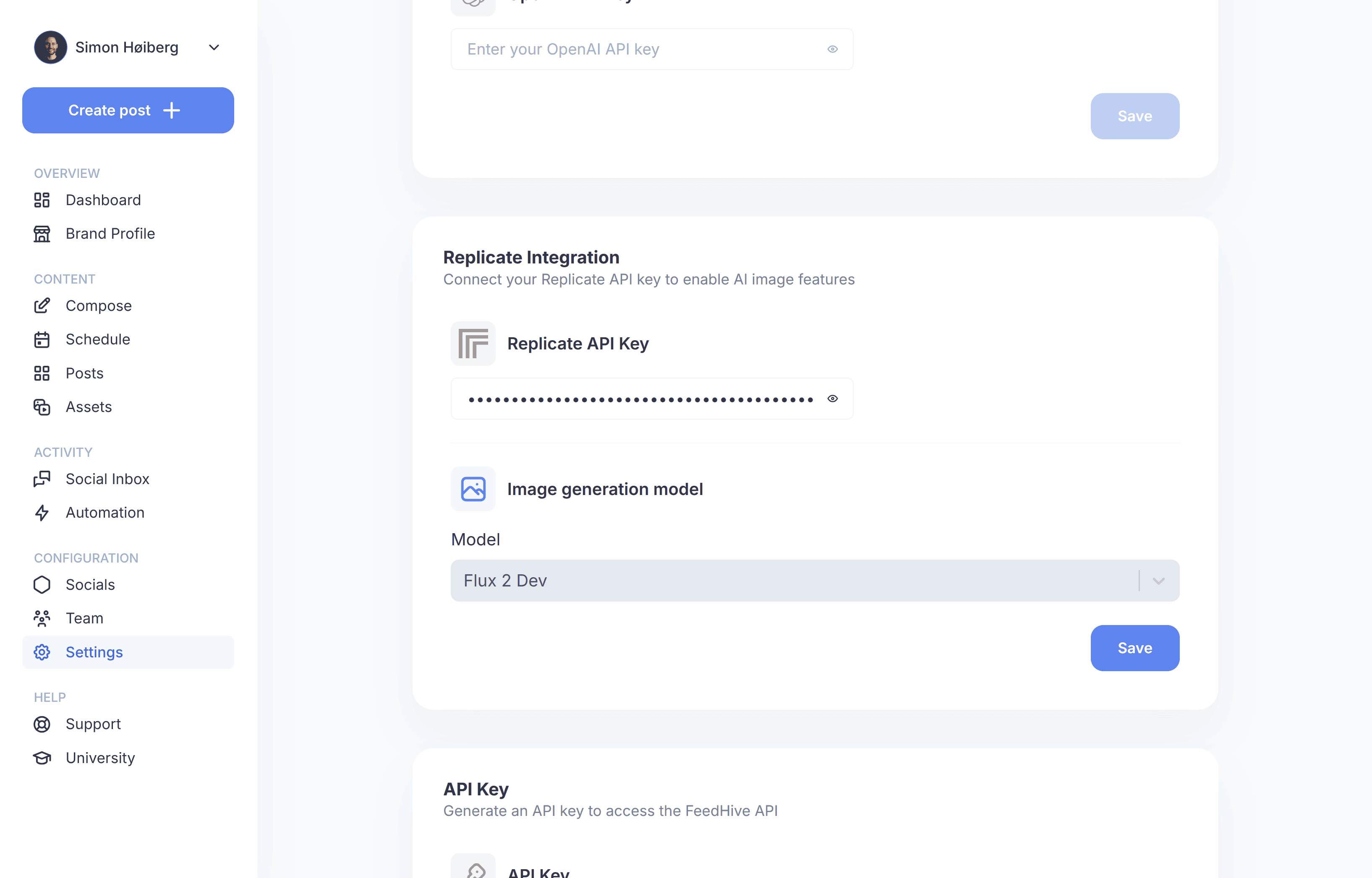
Open Settings in your FeedHive dashboard.
-
Find the Replicate Integration section in your settings.
-
Paste your API key into the Replicate API key field.
-
Save your settings to store the key for AI image generation.
What happens after adding your API Key?
When you add your own Replicate API key to FeedHive:
- AI image generation uses your account: Image generation requests will be processed through your Replicate account
- Your own billing applies: Usage is billed directly by Replicate based on your own account usage
- Direct control: You can manage your API token and usage from within Replicate
Related Resources
- Replicate API tokens (opens in a new tab) - Manage your API keys in Replicate
- Replicate documentation (opens in a new tab) - Learn more about how Replicate works
- Replicate pricing (opens in a new tab) - Review Replicate usage costs
Need Help?
If you run into any issues while setting up your Replicate API key, please reach out to our support team through the FeedHive dashboard.